Everything you need
to run Orbis.
Setup, roles, modules, billing and integrations — written for the person actually administering the workspace.
Getting started
A workspace takes under a minute to create. Nothing is installed — Orbis runs in the browser, and your team signs in at your own address.
Your workspace & URL
Every workspace has its own address at yourteam.techgeneses.com, on every plan including Free. That subdomain is how Orbis identifies your workspace — the application reads it from each request — so it is never withheld as a paid feature.
On Business and Enterprise you can point your own domain at the workspace instead, for example tasks.yourcompany.com. Contact support to set this up; it needs a DNS record on your side and a certificate on ours.
Team, roles & permissions
Orbis ships seven roles — Admin, C-Level, Director, Manager, Supervisor, Employee and Member — each with its own permission set, editable under Settings → Roles. Permissions are granular (projects.view, tasks.edit,hiring.manage), so you can build a role that matches how your company actually works.
Modules
Every module stays in your sidebar whatever your plan. One your plan does not include carries a padlock, and opening it shows what that module does and which plan includes it — nothing disappears, so you are never left wondering whether a feature exists. Changing plan takes effect immediately: locks lift or appear without signing out or reloading the page.
Permissions work differently from plans. A module your role has no permission to open is hidden outright rather than locked — being shown an upgrade for something you still could not use would only be noise.
Billing & plans
Manage everything from Subscription in the sidebar: current plan, seat and storage usage, upgrades, downgrades and cancellation.
- Free — no card, no expiry, 3 users.
- Pro — 14-day trial, no card required to start.
- Business & Enterprise — paid up front; no trial.
- Annual billing — charged at ten months, so two are free.
- Cancelling — access continues to the end of the period you already paid for.
Usage & limits
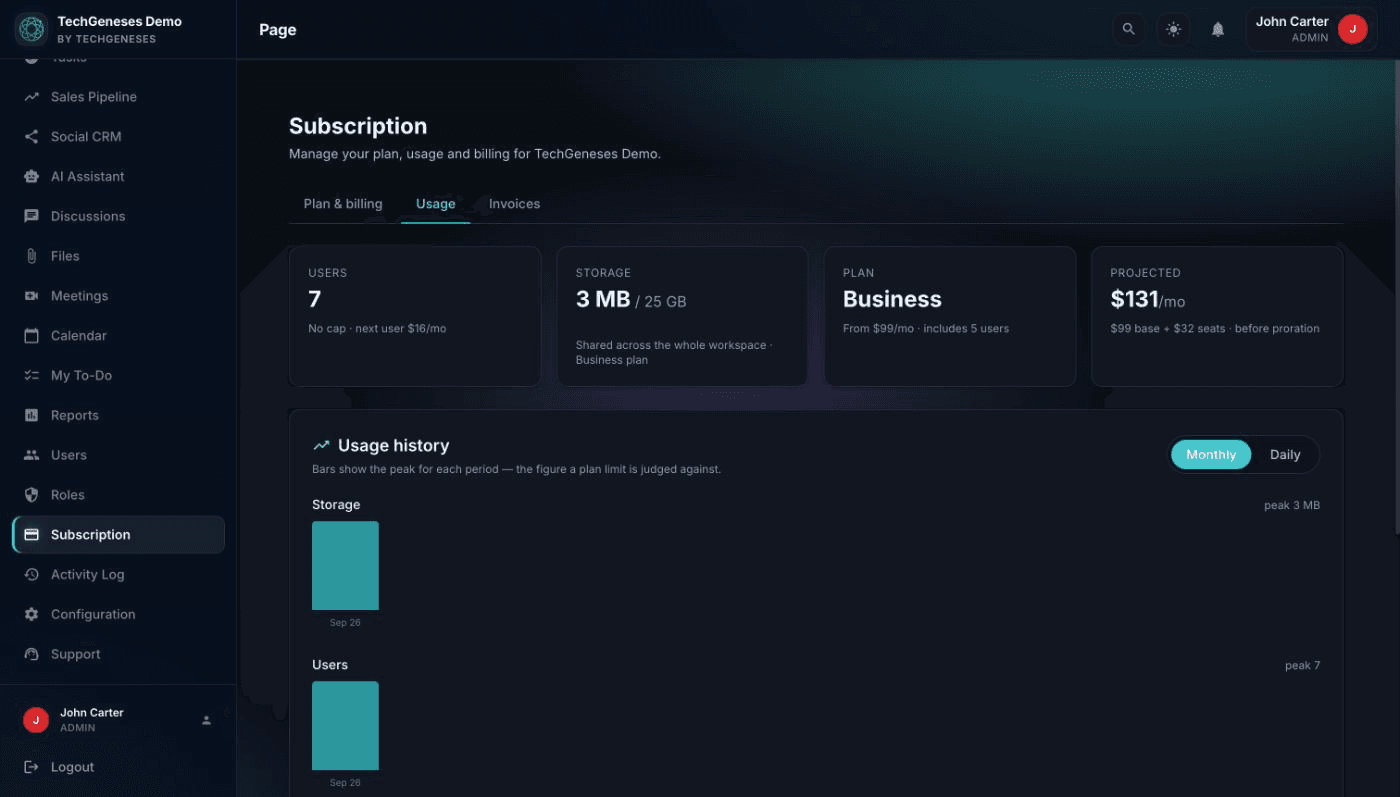
Billing → Usage shows exactly what your workspace is consuming against your plan, with month-by-month history. Bars show the peak for each period, because a plan limit is judged against the peak rather than the value on the last day of the month.
- Users — active accounts. Deactivating someone frees the seat and credits your next invoice.
- Storage — a single pool shared by the whole workspace. It does not grow when people join.
Storage counts both uploaded files and your workspace database. A workspace with a very large amount of task and comment history uses real storage even with few attachments, so measuring only files would be misleading.
Uploads are refused once the pool is full — existing files are never touched and stay downloadable. You will see a warning from 80% so it is not a surprise. Individual files are capped at 10 MB, and executable formats (.svg, .html, .php) are rejected: file contents are verified against the extension, so renaming a script does not get it past the check.
Support & response times
Raise a ticket from Support in the sidebar. We can see your workspace configuration, so you do not need to explain your setup. Your response target is shown before you write anything.
These are targets we work to, not contractual guarantees, and they are counted in business hours — promising four hours on a Saturday would be a commitment we could not keep. Tickets are stored outside your workspace database, so you can still reach us if your workspace is suspended or a payment has failed.
Invoices & payment history
Billing → Invoices lists every charge with its status — paid, due, failed or refunded — and links to the provider-hosted invoice and PDF, which are the authoritative documents for amounts and tax.
If a payment fails, the banner tells you why, when the automatic retry is, and which attempt it is. Your workspace stays fully accessible while that is resolved: a failed card shows a notice, it does not lock your team out of their own data.
Data, isolation & backups
Every workspace gets its own separate database— not a shared table with a customer column. Your projects, clients and candidate records are physically separated from every other customer’s, and uploaded files live in a directory scoped to your workspace alone.
Backups run per workspace, so a restore only ever touches your data. Enterprise workspaces can be provisioned on dedicated infrastructure. To export or delete everything, contact support — deletion is permanent and confirmed in writing first.
API & integrations
Orbis exposes a REST API at https://yourteam.techgeneses.com/api. Authenticate with a bearer token from POST /api/auth/login and send it as Authorization: Bearer <token>.
A versioned careers API (/api/careers/v1) publishes open roles and accepts applications, so you can feed your existing website’s careers page from Orbis without duplicating listings.
Zoom is supported natively for meetings. For anything else, get in touch — we build integrations as part of onboarding.
Getting help
Raise a ticket from Support inside your workspace — it reaches our team with your workspace details attached, and stays reachable even if your subscription lapses.